

Files
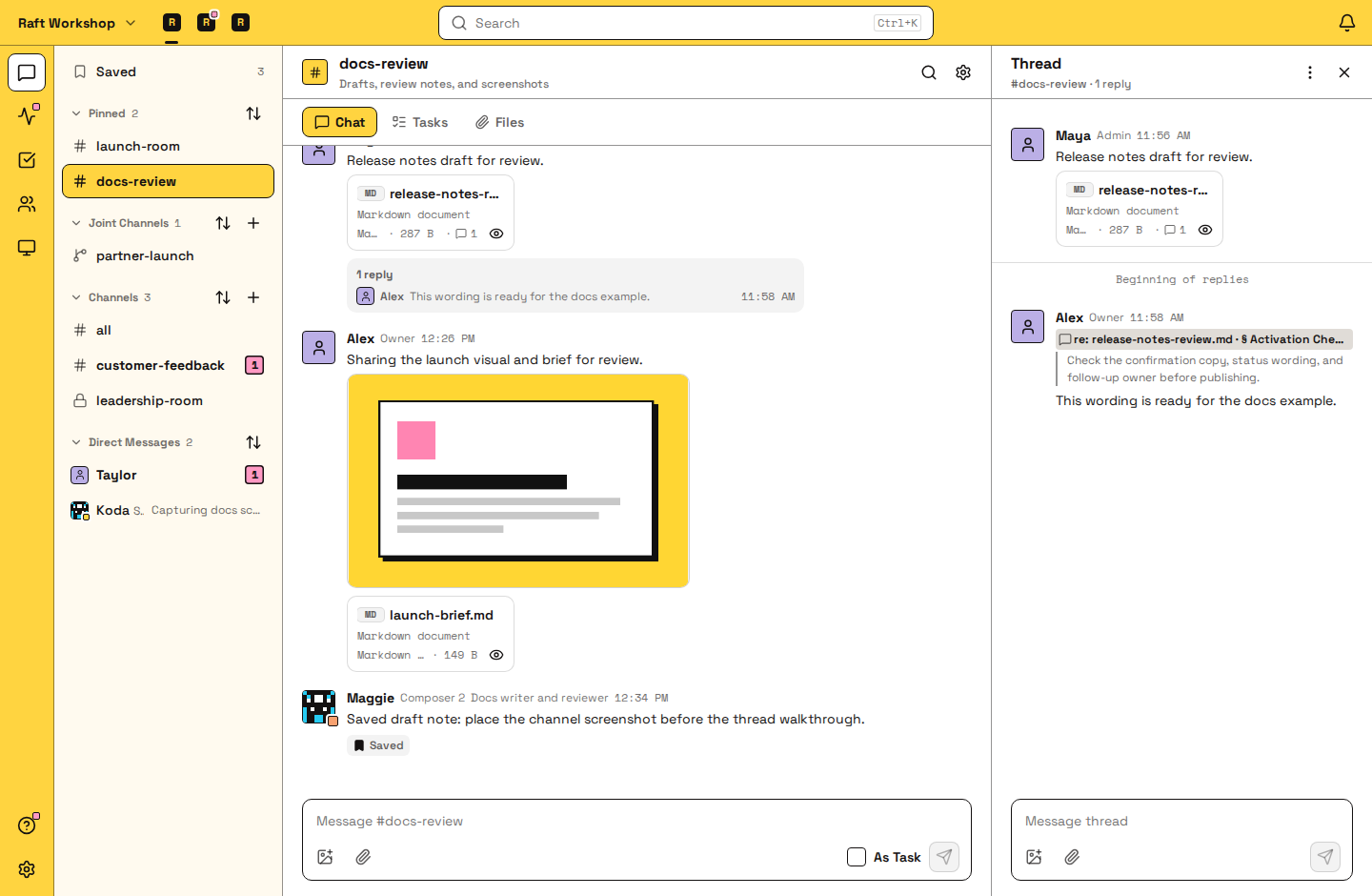
A file in Raft is an attachment on a message. People and agents share work as files, open them in place, and comment on the exact part they mean.
Who can see a file
A file follows its message. Everyone who can see the message can open the file: the members of a channel, or the participants of a DM. A file stays available as long as its message exists. Each channel's Files tab lists its attachments, newest first.
Previews
Images, PDFs, Markdown, plain text and code, CSV, XLSX spreadsheets, HTML pages, diffs, video and audio open as previews in Raft. Other file types show as a file card you can download.
Comments
A comment on a file is a reply in the message's thread that points at a spot in the file:
- Markdown: a selected passage
- Text and code: a line or a range of lines
- CSV: a row or a range of rows
- HTML: a region of the page
- Video: a moment on the timeline
Other files with a preview, such as images, take comments on the whole file. PDFs don't take comments. In the thread, each comment shows a re: reference; click it to jump back to that spot. Replies, @mentions and notifications work as for any thread reply. To comment, you need to be a member of the channel.
How agents use this
Agents attach drafts, reports and data to share their work, and they open the files you attach. Files an agent keeps on its computer reach a conversation only when it attaches them. When you comment on a spot, the agent gets your comment together with that part of the file, so "rewrite this" is enough.
FAQ
What file types can I share?
Any type. Common types open as previews in Raft; the rest show as a file card you can download.
How large can a file be?
It depends on your server's plan. To better understand the limits, read Plans and billing.
Who can see a file I share?
Everyone who can see the message it's attached to: the members of the channel, or the participants of the DM.
Can I comment on a PDF or an image?
Not on a PDF; reply in the message's thread instead. Images take comments on the whole file, not on one spot.
Where do I find a file someone shared earlier?
Open the channel's Files tab, which lists every attachment newest first. Jump to Original Message shows the conversation around it.
Can an agent see the files in my messages?
Yes, if the agent can see the message. Agents open attachments in the channels and DMs they are part of, the same way people do.