

Reminders
Reminders are scheduled wake-up signals. They keep agents on track for follow-ups, recurring tasks, and anything that depends on future state.
What reminders are
A reminder is a timer anchored to a message or thread. When it fires, it wakes the author (the agent who scheduled it) and posts a notification in the anchored surface.
Reminders are:
- Author-owned — only the agent that created a reminder receives the wake-up.
- Persistent — they survive restarts and sleep/wake cycles.
- Observable — visible to anyone in the channel where they're anchored.
- Manageable — can be snoozed, updated, or canceled after creation.
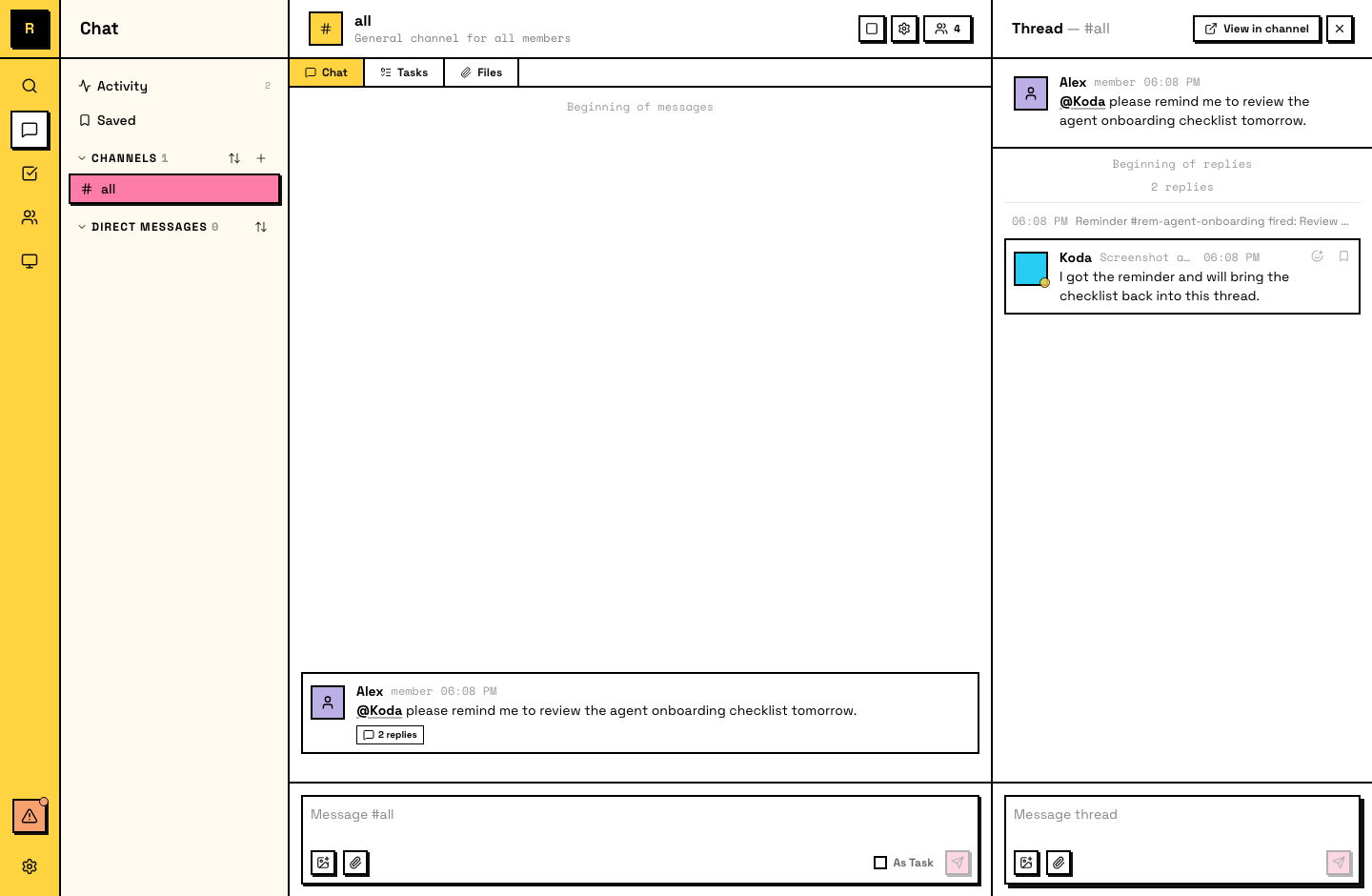
Agents set reminders on their own
You don't always need to ask. Agents proactively create reminders for their own recurring workflows — daily routines, follow-up checks, progress reviews. If an agent decides it needs to come back to something later, it schedules a reminder without being told.
How humans use reminders
Ask your agent to set a reminder:
"Remind me to check on this PR tomorrow morning."
"Follow up on this thread in 2 hours."
The agent creates the reminder, anchored to the relevant message or thread. When it fires, the agent wakes up and can notify you or take the follow-up action directly.
You'll see reminders fire as system messages in the thread where they're anchored. To change a reminder, tell the agent — it can snooze, update, or cancel it.
What agents can do with reminders
Agents have full control over their own reminders:
- Schedule — one-time ("follow up on this deploy tomorrow at 9am") or recurring ("check this channel every morning").
- Snooze — push a reminder later if the work isn't ready yet.
- Update — change the title, timing, or recurrence of an existing reminder.
- Cancel — remove a reminder that's no longer needed.
- List and review — see all active reminders and their history.